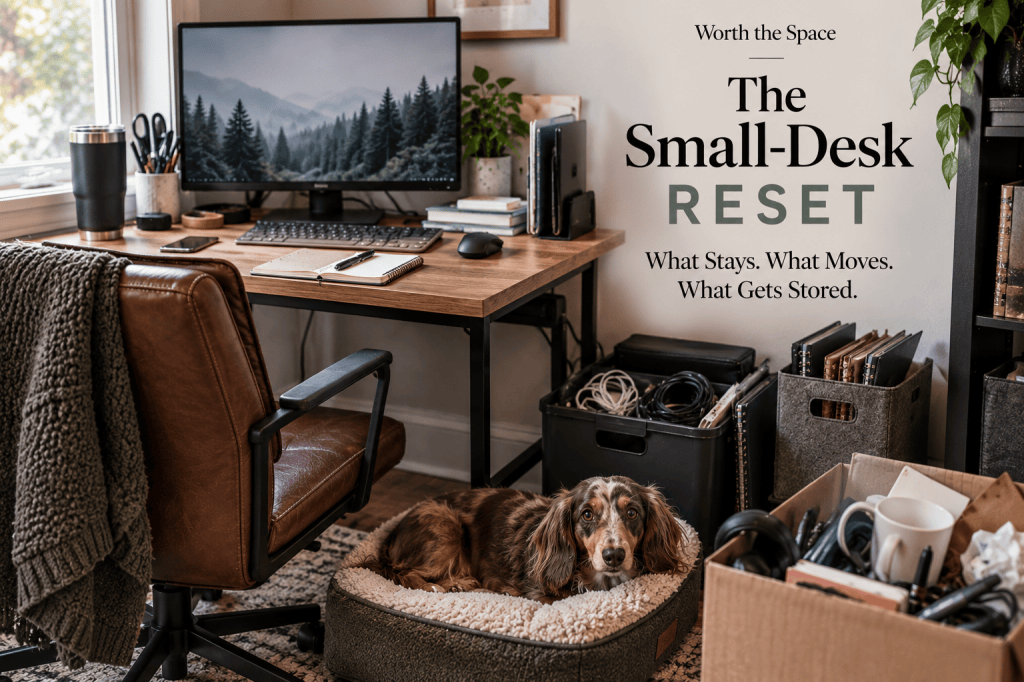
Your desk feels cramped, so you buy an organizer.
The organizer takes up part of the desk.
So you rearrange everything around it.
The desk still feels cramped.
Naturally, the next logical step appears to be another organizer.
Apparently the first organizer needed emotional support.
Before adding more storage, try a different question:
What deserves permanent space on this desk?
That is the idea behind The Small-Desk Reset.
Instead of figuring out how to organize everything currently living on your desk, you give each item one of four decisions:
KEEP
MOVE
STORE
REMOVE
The goal is not an empty desk.
It is not minimalism.
It is not a Pinterest-perfect workspace with one laptop, one ceramic mug and absolutely no evidence a human works there.
The goal is enough usable surface for the work you need to do.
Organizing Your Stuff Is Not the Same as Protecting Your Workspace
A desk has two competing jobs.
It needs to hold some of your work tools.
It also needs to give you somewhere to work.
On a large desk, those jobs have room to coexist.
On a compact desk, every permanent object takes a noticeable piece of the working surface.
A desktop organizer might make eight loose items look tidier, but the organizer itself still occupies space.
A stack of neatly arranged notebooks still blocks part of the desk.
A perfectly lined-up collection of pens is still a collection of pens living where your elbow, notebook or mouse might need to go.
Organized clutter is still using the surface.
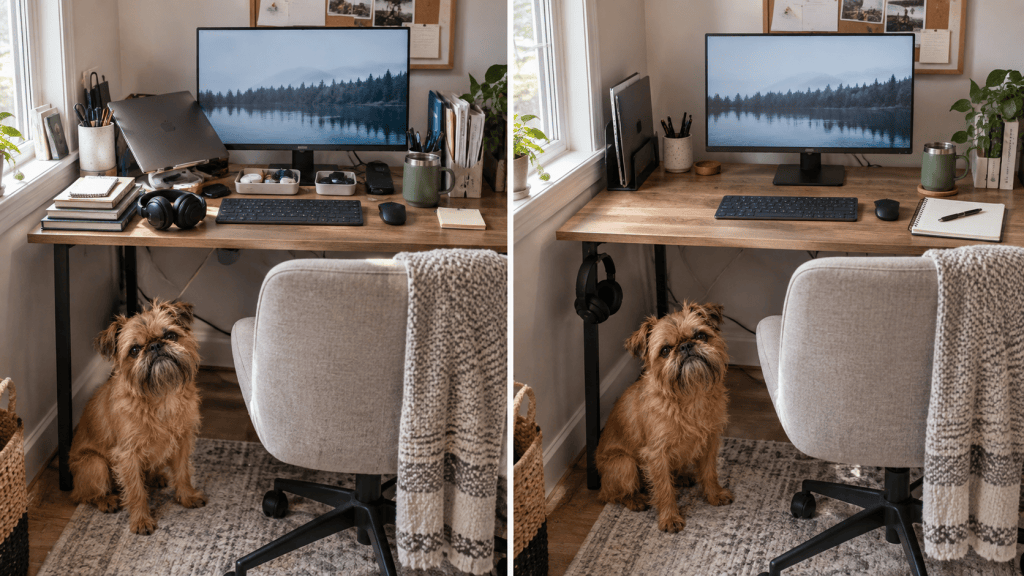
This is why small desk organization works better when you start with decisions rather than containers.
Do not begin with:
“How do I organize all of this?”
Begin with:
“What deserves permanent space here?”
The Small-Desk Reset
Look at everything currently sitting on your desk.
Include the obvious equipment, such as your monitor and keyboard, but also notice the objects that became permanent residents without anyone formally approving their tenancy.
The charging cable.
The three notebooks.
The headphones.
The mail.
The pen cup containing 14 pens when you use two.
The laptop sitting beside a monitor even though you rarely open it.
The supplies you placed there because you did not know where else to put them.
For each object, choose one of four decisions.
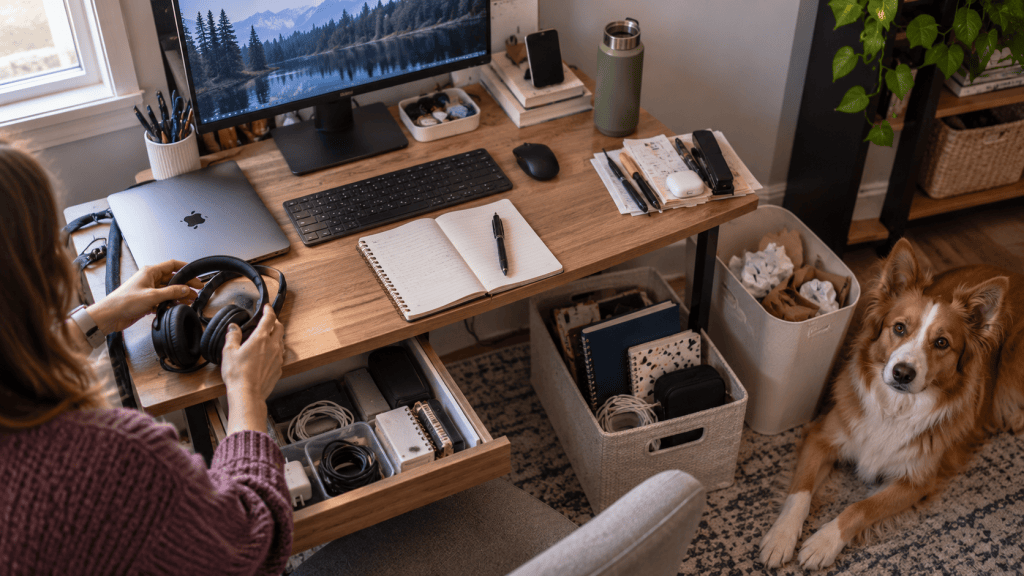
KEEP: It Earns Permanent Desk Space
KEEP is for objects used as part of your normal work.
These are the things whose accessibility matters enough to justify the surface they occupy.
Depending on your work, KEEP items might include:
- keyboard
- mouse
- monitor
- current notebook
- planner
- drawing tablet
- calculator
- frequently used reference material
- accessibility equipment
- other tools used throughout most work sessions
The important part is not the item.
It is the frequency and nature of its use.
A notebook might be essential for someone who takes handwritten notes throughout the day.
For someone else, the notebook has not been opened since March and is mainly providing moral support to the keyboard.
Ask:
Do I use this during most work sessions?
Would moving it elsewhere make my normal work noticeably less convenient?
Does it need to stay on the desk while I work?
If yes, it has a strong case for KEEP.
If not, keep evaluating.
MOVE: You Use It, But It Does Not Need to Live on the Desk
MOVE is where much of the space often comes back.
These items matter. You want them nearby. They simply do not require permanent desktop real estate.
A MOVE item might go:
- on a nearby shelf
- on the wall
- beneath the desk
- beside the desk
- on a hook
- in an accessible drawer
- in another part of the immediate workspace
For example, a laptop used with an external monitor might sit vertically beside the desk instead of lying open across the surface.
Headphones might hang below the desktop rather than resting beside the keyboard.
Frequently used pens might sit in a shallow drawer instead of a desktop container.
Charging equipment might move underneath the desk once the cable setup allows it.
MOVE does not mean “hide everything.”
It means separating accessibility from permanent surface occupancy.
Ask:
Do I use this regularly?
Does it need to be within easy reach?
Does easy reach require it to sit ON the desk?
If the answer to the first two questions is yes and the third is no, MOVE is likely the right decision.
STORE: Useful Does Not Mean Immediately Accessible
Some items belong in your workspace without belonging at your workstation.
That is what STORE is for.
Think:
- spare charging cables
- printer supplies
- extra stationery
- backup accessories
- old notebooks you still reference
- occasional paperwork
- equipment for infrequent tasks
- extra batteries
- rarely used adapters
These items serve a purpose.
They simply do not serve it often enough to compete with your keyboard, mouse, notebook or working area.
This distinction matters because small desks often become storage surfaces for perfectly legitimate office supplies.
The problem is not owning them.
The problem is storing them where you work.
Ask:
When did I last use this?
Will I need it during a typical workday?
Would retrieving it from a drawer, cupboard, box or nearby storage area create any meaningful inconvenience?
If retrieval is easy and use is occasional, STORE it.
Your desk does not need to hold everything associated with your work.
REMOVE: It No Longer Earns Workspace
REMOVE is for anything that no longer supports what happens at the desk.
Some items belong elsewhere in your home.
Some belong in recycling.
Some belong in a donation pile.
Some simply arrived at the desk because flat surfaces attract unfinished decisions.
Examples might include:
- old receipts
- empty packaging
- dried-out pens
- outdated paperwork
- duplicate supplies
- abandoned projects
- random household objects
- equipment you no longer use
REMOVE is also where you question items kept through habit.
You bought it.
You once used it.
It came with something.
You might need it someday.
None of those automatically earn permanent workspace.
Ask:
Does this still support the work I do here?
Would I deliberately choose to put it on this desk today?
If this disappeared from my workspace, would I miss it?
If the answers keep pointing toward no, remove it.
The Small-Desk Decision Test
When an item is difficult to categorize, run it through these questions:
- Do I use this during most work sessions?
- Does it need to be within easy reach?
- Does it need to be ON the desk to stay accessible?
- Would above, below or beside the desk work instead?
- When did I last use it?
- Is this helping me work, or is my desk storing it?
That last question catches a surprising amount.
Desks become storage areas because storing something on a flat surface is easy.
Easy does not mean functional.
Rebuild the Desk Around the Work
Once you have your KEEP, MOVE, STORE and REMOVE decisions, do not immediately put everything back.
Start with the job of the desk.
What physical space does your work require?
If you use a keyboard and mouse, give them enough room to operate comfortably.
If you write by hand, protect an area large enough for your notebook or documents.
If you draw, craft or work with physical materials, your usable surface needs will look different.
If your work is almost entirely laptop-based, your requirements will be different again.
There is no universal correct amount of empty desk.
There is only enough working surface for the work happening there.
Build that area first.
Then return the KEEP items.
Everything else competes for the space left over.
Not the reverse.
This is where the Worth the Space philosophy becomes practical rather than decorative:
If something takes up limited space, it should earn its place.
On a small desk, earning its place means contributing enough to your normal work to justify the working surface it consumes.
What About the Monitor, Laptop and Other Big Equipment?
Small objects create visual clutter, but large equipment often creates the biggest physical footprint.
So do not spend 20 minutes deciding whether three pens deserve desk space while ignoring a laptop, monitor base or printer occupying a quarter of the surface.
If a large KEEP item dominates the desk, the next question becomes:
Does this tool need this particular footprint?
That is different from asking whether you need the tool itself.
You might genuinely need your monitor.
You do not necessarily need a large monitor base.
You might genuinely need your laptop.
You do not necessarily need it lying flat beside your monitor all day.
You might genuinely need charging equipment.
You do not necessarily need the adapter sitting on your desktop.
Once the reset identifies the items worth keeping, footprint becomes the next problem to solve.
That is the point where equipment placement, vertical storage, cable management and other small-workspace solutions start becoming useful.
Diagnosis first.
Solution second.
What Not to Do After the Reset
Do not immediately refill the space
A clear section of desk is not an invitation.
Working surface has value even when nothing is sitting on it.
Do not buy organizers yet
Finish the reset first.
Until you know what belongs in MOVE and STORE, you do not know what storage problem you have.
Buying storage before making those decisions often gives unnecessary items a more attractive place to remain unnecessary.
Do not create a second clutter pile
Moving everything from the desk to the nearest chair is not a storage strategy.
MOVE and STORE items still need sensible homes.
The difference is that you choose those homes based on frequency of use.
Do not build elaborate systems for rarely used things
The less often you use something, the less prime real estate it deserves.
Your six spare cables do not need a highly engineered command centre.
They need somewhere sensible to live until you need one.
Do not chase minimalism
Removing something useful because it spoils the aesthetic defeats the purpose.
If you use a notebook ten times a day, keep the notebook.
If three pieces of accessibility equipment help you work comfortably, they have earned the space.
A functional desk is the target.
Minimalism is optional.
The 10-Minute Small-Desk Reset
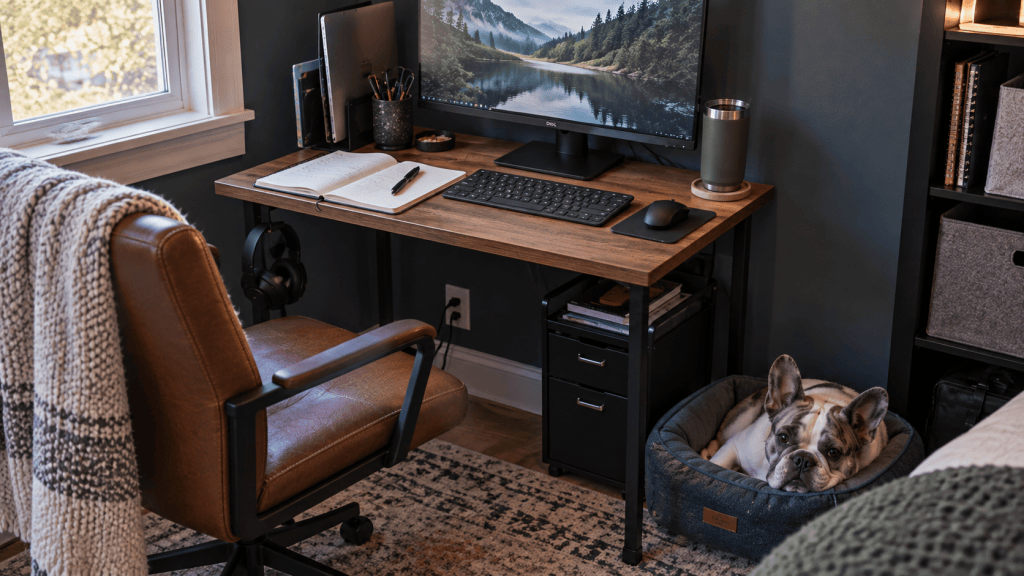
You do not need to reorganize your entire home office.
Set a timer for ten minutes and reset one working area.
Minute 1: Pick the work zone
Choose the part of the desk you need most.
That might be the area around your keyboard and mouse, your writing space or one side of the desk.
Minutes 2 to 4: Remove everything from that section
Place the items nearby temporarily.
Do not organize them yet.
You are trying to see the working surface again.
Minutes 5 to 7: Make four decisions
Give each item a label:
KEEP
MOVE
STORE
REMOVE
Do not overthink it.
Base the decision on how you work now.
Minute 8: Restore KEEP
Put back only the things that earned permanent space.
Minute 9: Relocate MOVE and STORE
Put MOVE items somewhere accessible.
Put STORE items with your other occasional-use supplies.
Minute 10: Remove REMOVE
Trash it, recycle it, donate it or return it to the part of your home where it belongs.
Then stop.
You do not need to reorganize every drawer because you cleared 18 inches of desk.
Use the reclaimed space first.
See how the desk feels during real work.
That experience will tell you more about what needs fixing next.
Your Small Desk Might Not Need More Storage
A cramped desk does not automatically mean you need a bigger desk.
It does not automatically mean you need more organizers either.
Sometimes the desk is doing two jobs at once:
workspace and storage area.
The Small-Desk Reset separates them.
KEEP what genuinely needs permanent access.
MOVE what needs to stay nearby.
STORE what you use occasionally.
REMOVE what no longer supports the work.
Then protect the surface left behind.
Because the question was never:
“How do I fit more stuff on my desk?”
The better question is:
“What deserves permanent space here?”
If something takes up limited space, it should earn its place.


Leave a Reply